云原生-SKyWalking
Apache SkyWalking 是一款专为微服务、云原生及容器化架构设计的应用性能监控(APM)平台,支持分布式链路追踪、服务拓扑分析和告警通知。本文介绍 SkyWalking 的 Agent 数据采集配置及核心仪表盘的使用方式。
信息采集
- 下载地址:https://skywalking.apache.org/docs/
页面简介
skywalking仪表盘简介:
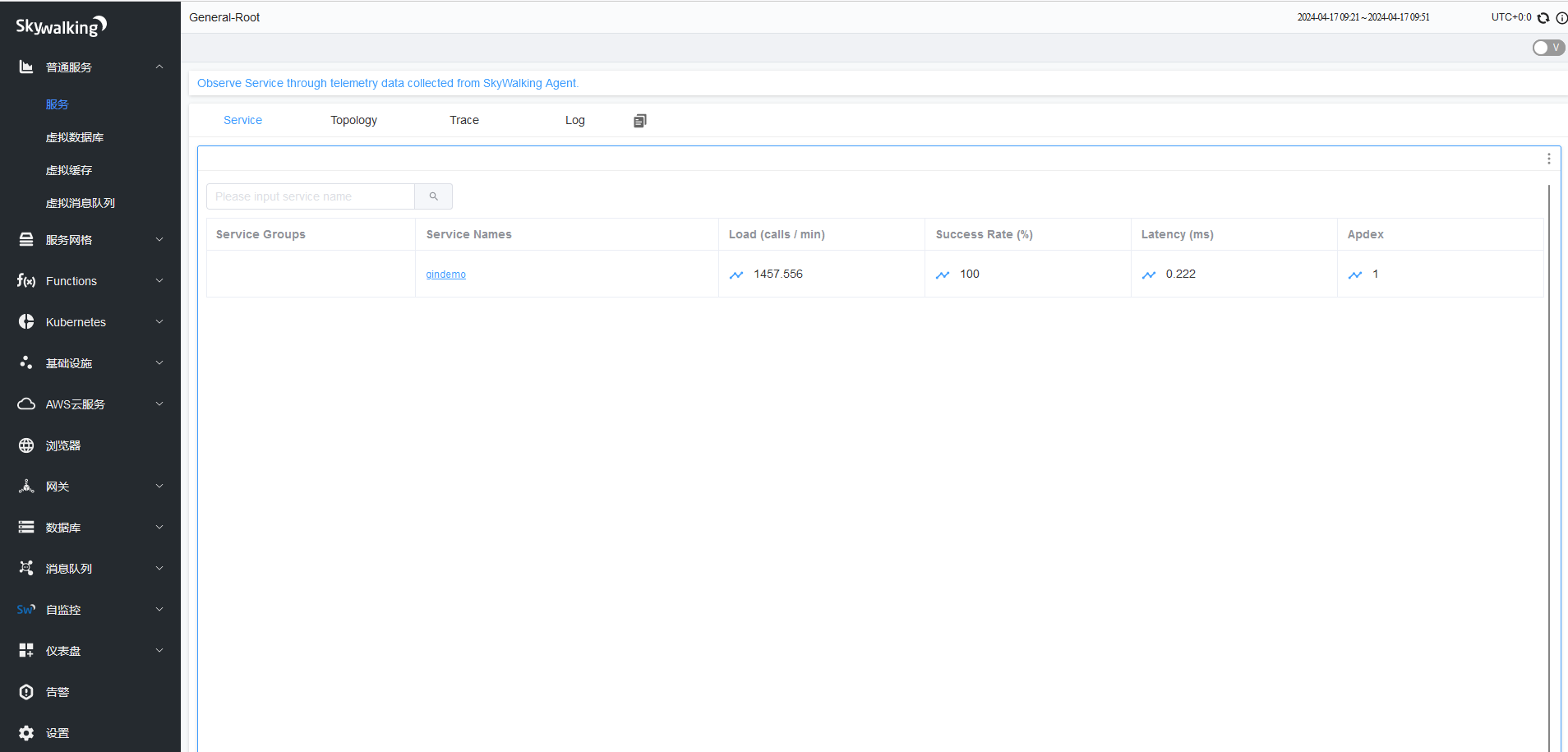
普通服务–>服务
- Service:服务列表,服务(Service)-表示对请求提供相同行为的一系列或一组工作负载(服务名称),在使用Agent或SDK的时候,可以自定义服务的名字,如果不定义的话,SkyWalking将会使用你在平台(比如 Istio)上定义的名字。
- service names:服务名称
- Load (calls / min):每分钟访问次数
- Success Rate (%):成功率
- Latency (ms):验延迟时间
- Apdex :应用性能指数
- Topology:架构图
- Trace:跟踪信息
- Log:日志
- Service:服务列表,服务(Service)-表示对请求提供相同行为的一系列或一组工作负载(服务名称),在使用Agent或SDK的时候,可以自定义服务的名字,如果不定义的话,SkyWalking将会使用你在平台(比如 Istio)上定义的名字。
Apdex简介:
- Apdex全称是(Application Performance Index,应用性能指数),是由Apdex联盟开放的用于评估应用性能的标准,Apdex 联盟起源于2004年,Apdex标准从用户的角度出发,提供了一个统一的测量和报告用户体验的方法,将其量化为范围为0-1的满意度评价,把最终用户的体验和应用性能作为一个完整的指标进行统一度量.
- 在网络中运行的任何一个应用(Web服务),它的响应时间决定了用户的满意程度,用户等待所有交互完成时间的长短直接影响了用户对应用的满意程度,这才是对用户有真正意义的“响应时间”,Apdex把完成这样一个任务所用的时间长短称为应用的“响应性”
- Apdex 定义了应用响应时间的最优门槛为T,另外根据应用响应时间结合T定义了三种不同的性能表现:
- Satisfied(满意)-应用响应时间小于或等于Apdex阈值,比如Apdex阈值为1s,则一个耗时0.6s或者1s的响应结果则可以认为是满意的。
- Tolerating(可容忍)-应用响应时间大于Apdex阈值,但同时小于或等于4倍的Apdex阈值,假设应用设定的Apdex阈值为1s,则4*1=4s为应用响应时间的容忍上限。
- Frustrated(烦躁期)-应用响应时间大于4倍的Apdex阈值。
skywalking仪表盘简介:

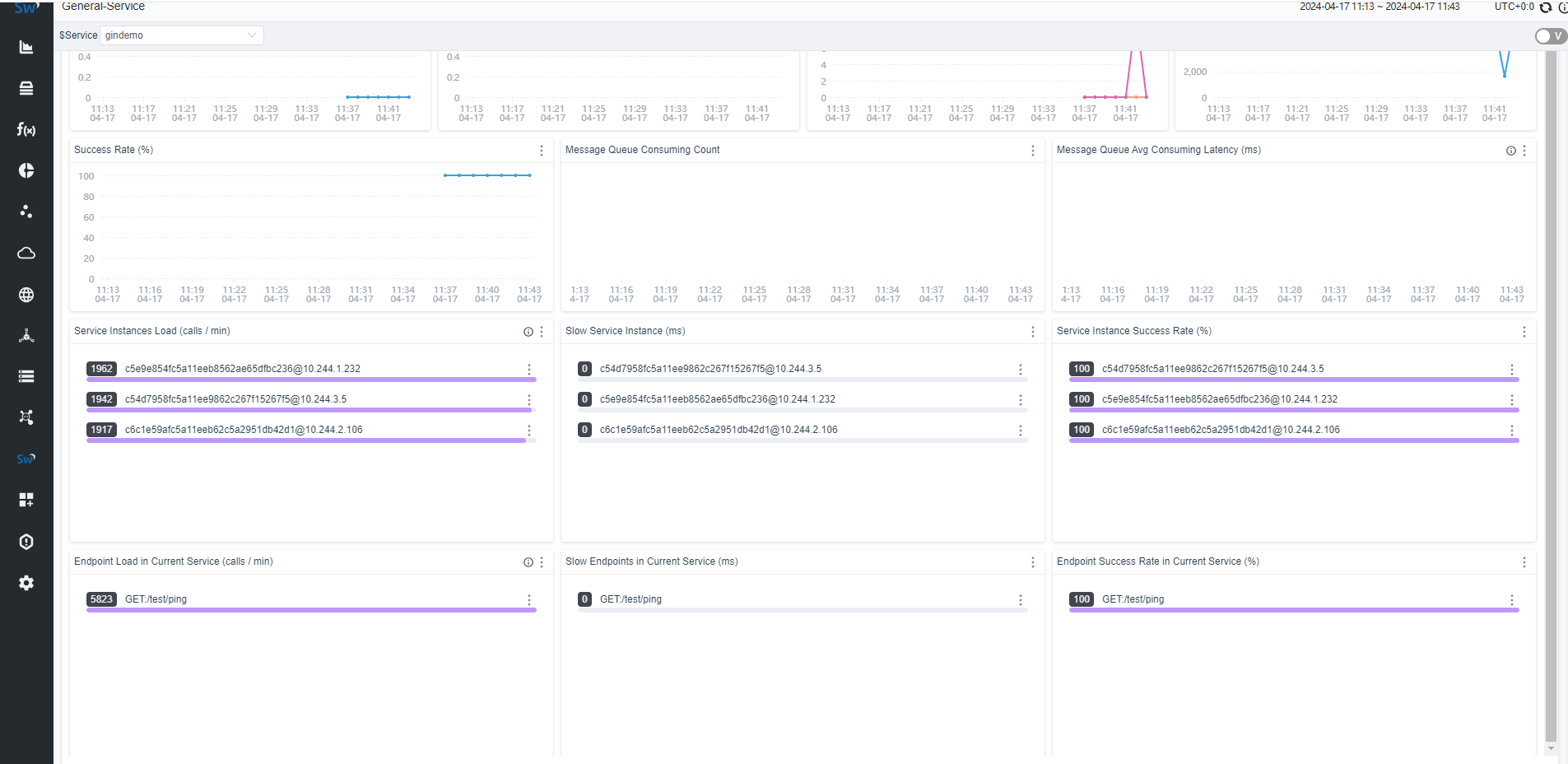
- 普通服务–>服务–> gindemo –>Overview(服务概览)
Service Apdex(数字):当前服务的评分
Successful Rate(数字):请求成功率
Service Load (calls / min) 数字:  分钟请求数
Service Avg Response Times(ms):平均响应延时,单位ms
Service Apdex(折线图):一段时间内Apdex评分
Service Response Time Percentile (ms)折线图:服务响应时间百分比
Service Load (calls / min) 折线图:  分钟请求数
Success Rate (%)折线图:分钟请求成功百分比
Message Queue Consuming Count(折线图):消息队列消耗计数
Message Queue Avg Consuming Latency (ms)折线图:消息队列平均消耗延迟(毫秒)
Service Instances Load (calls / min):节点请求次数
Slow Service Instance (ms):每个服务实例(物理机、云主机、pod)的最大延时
Service Instance Success Rate (%):每个服务实例的请求成功率
Endpoint Load in Current Service (calls / min):每个端点(URL)的请求次数
Slow Endpoints in Current Service (ms):当前端点(URL)的最慢响应时间
Success Rate in Current Service (%):当前服务成功率(%):- 普通服务–>服务–> gindemo –>Instance–>选择实例–>Overview(实例概览信息):
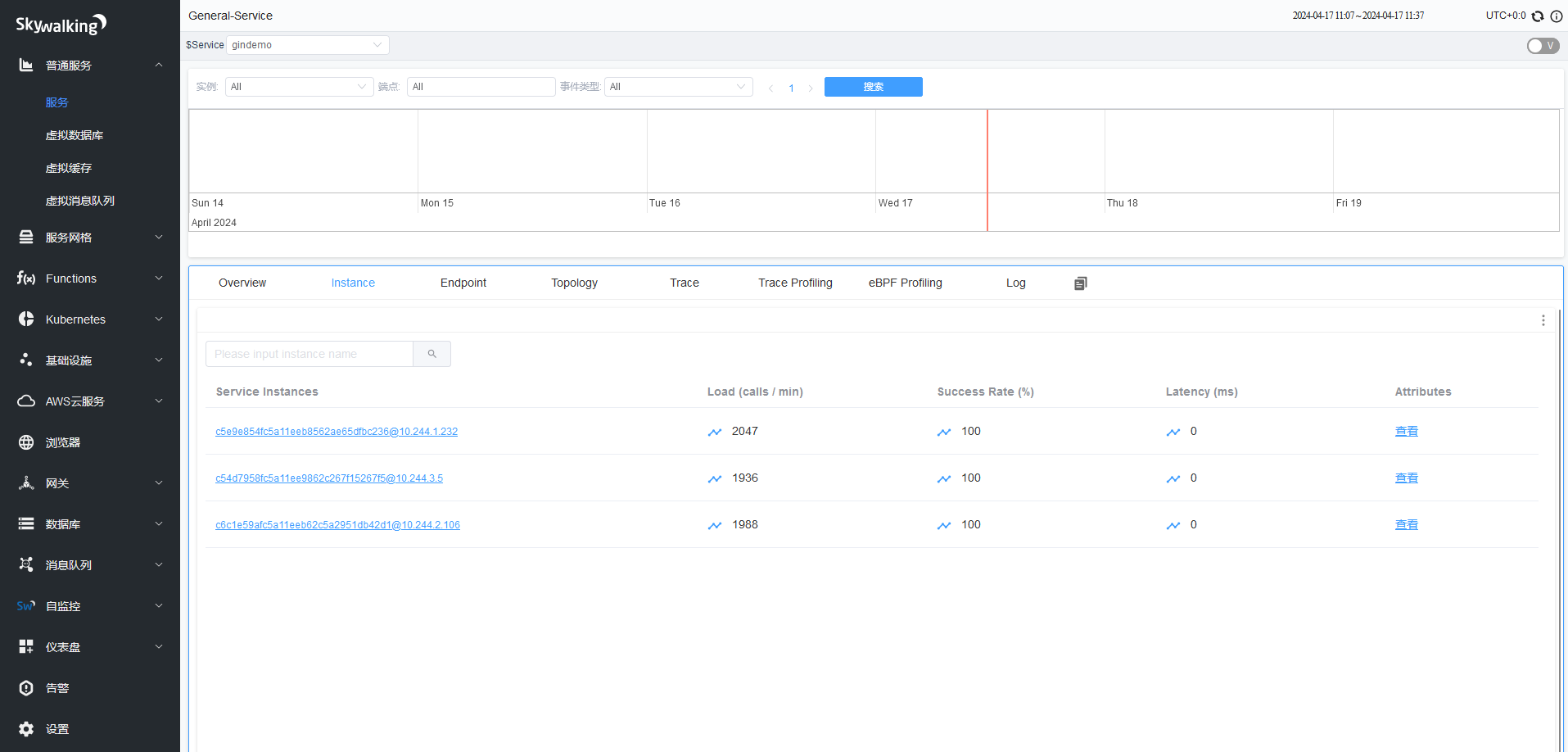
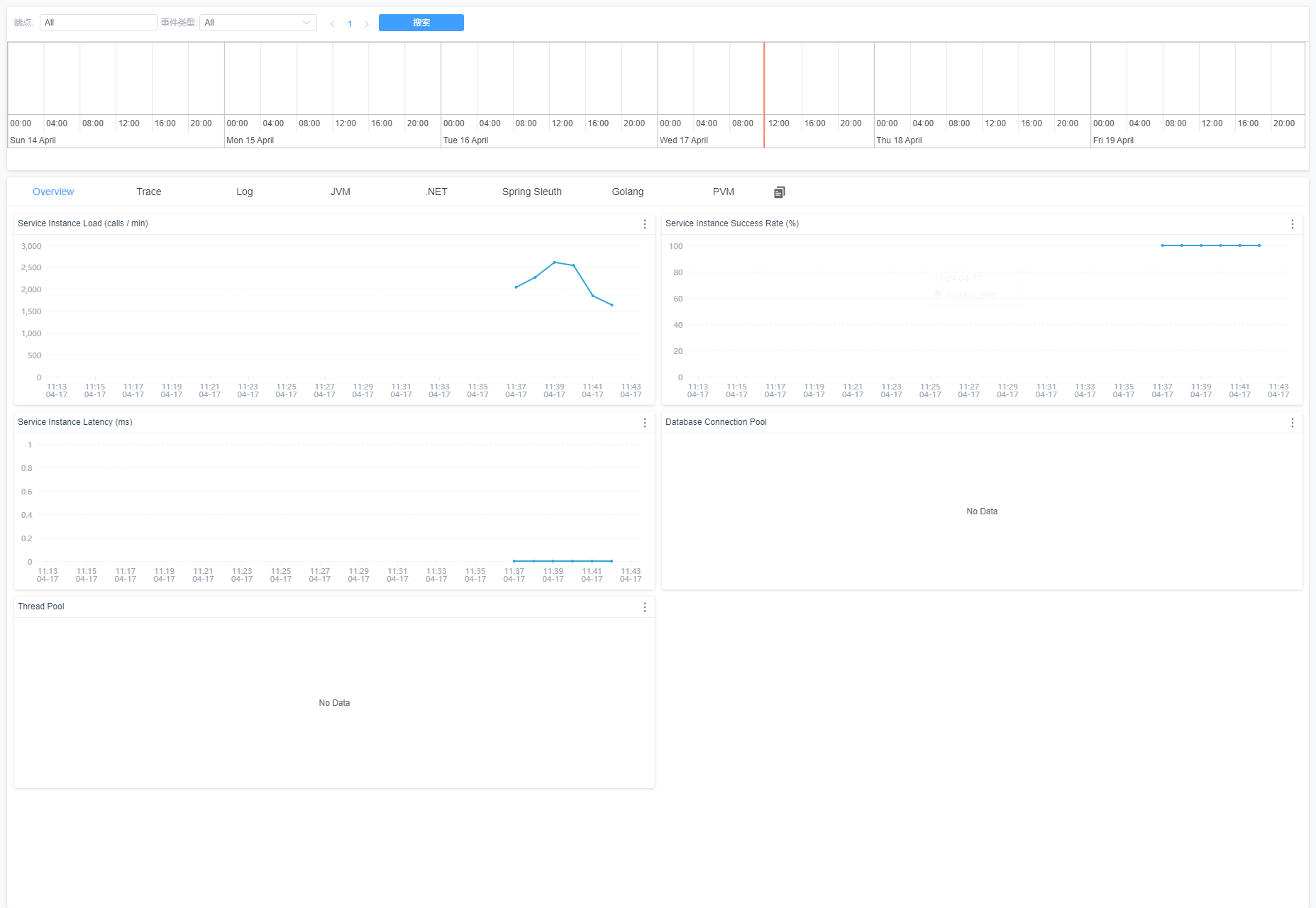
Service Instance Load (calls / min):当前实例的每分钟请求数。
Service Instance Success Rate (%):当前实例的请求成功率。
Service Instance Latency (ms):当前实例的响应延时。
Database Connection Pool:数据库连接池信息
Thread Pool:线程池信息- 普通服务–>服务–> gindemo –>Endpoint(端点信息):
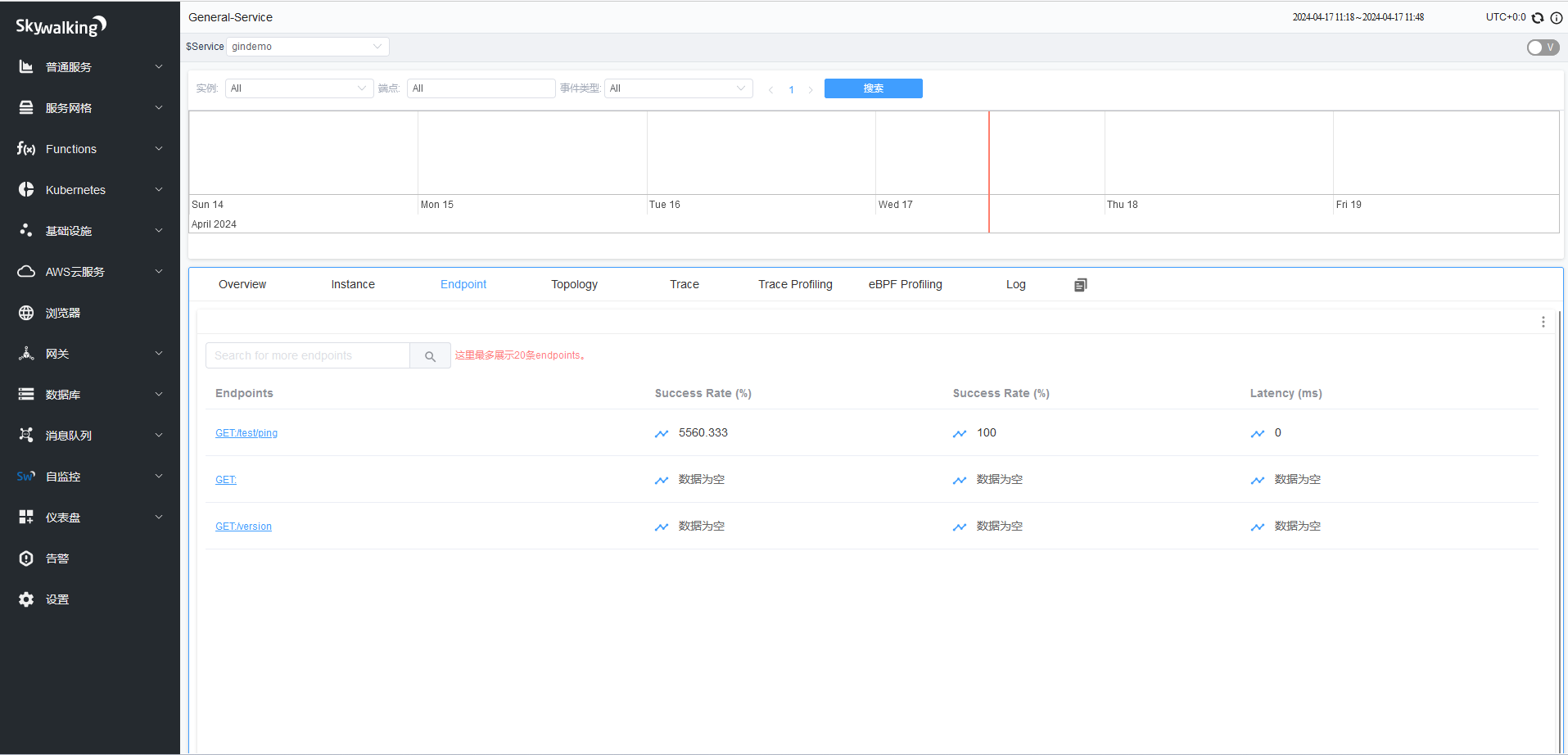
Endpoints: URL
Load (calls / min):平均请求次数(默认时间范围半小时),比如半小时内总请求次数6次,6%30=0.20
Success Rate (%):平均成功率(默认时间范围半小时)
Latency (ms):平均延迟时间(默认时间范围半小时)- 普通服务–>服务–> gindemo –>Topology(拓扑图):
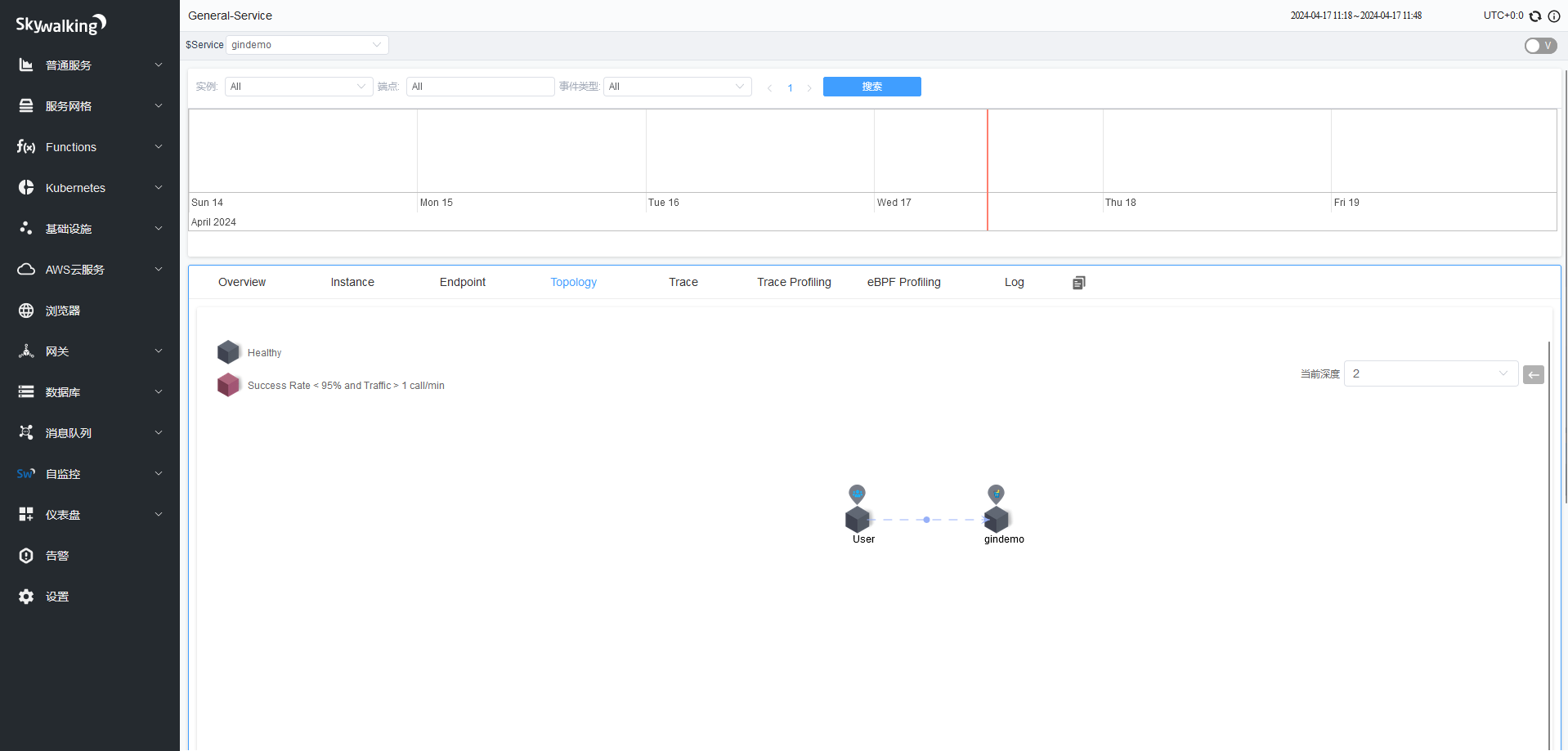
- 普通服务–>服务–> gindemo –>Instance–>示例–>Trace(请求跟踪信息):
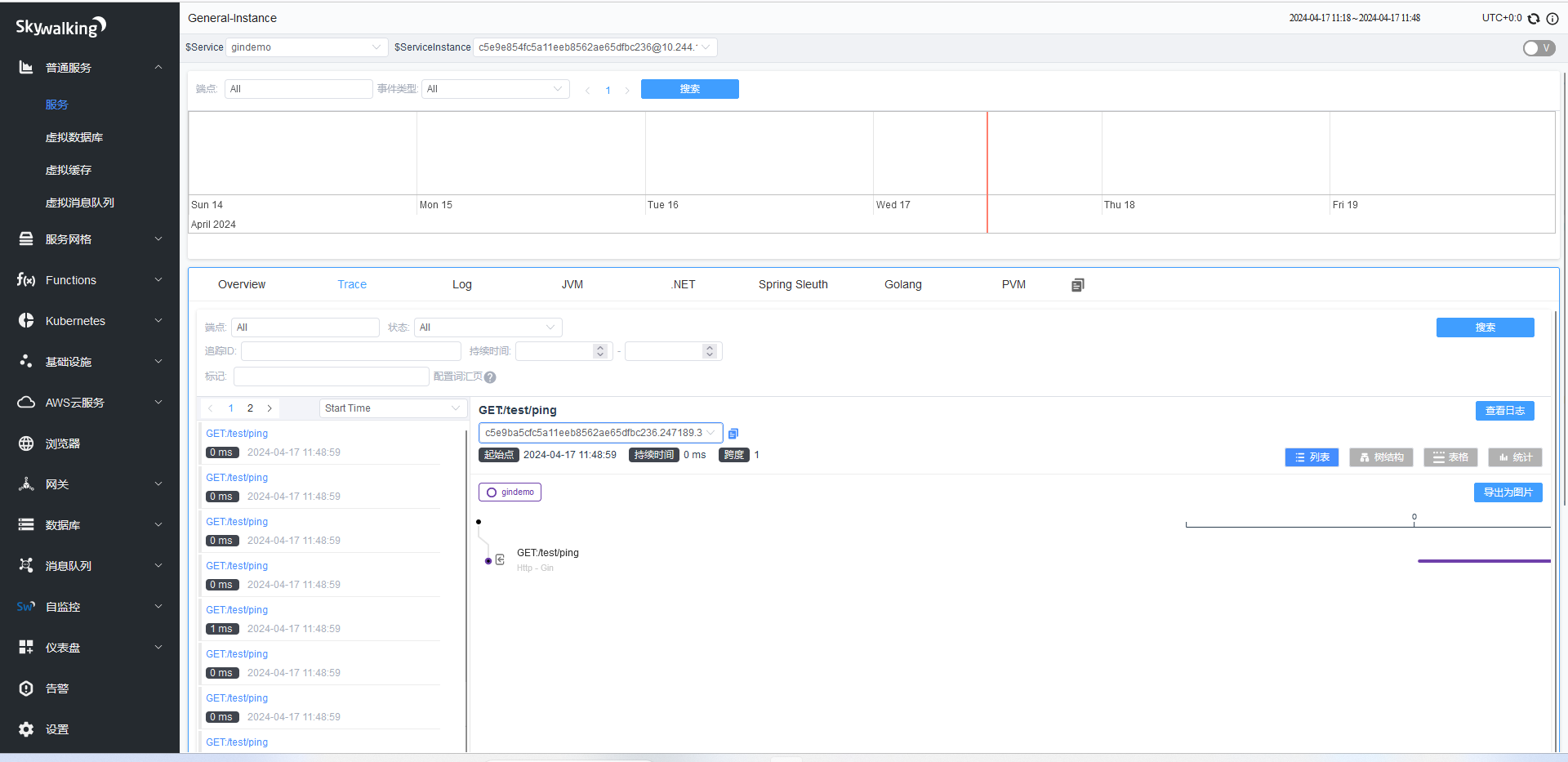
- 普通服务–>服务–> gindemo –>Instance–>示例–>JVM(实例JVM信息):
- 普通服务–>服务–> gindemo –>Instance–>示例–>.NET(.NET信息):
- 普通服务–>服务–> gindemo –>Instance–>示例–>Spring Sleuth(Spring信息):
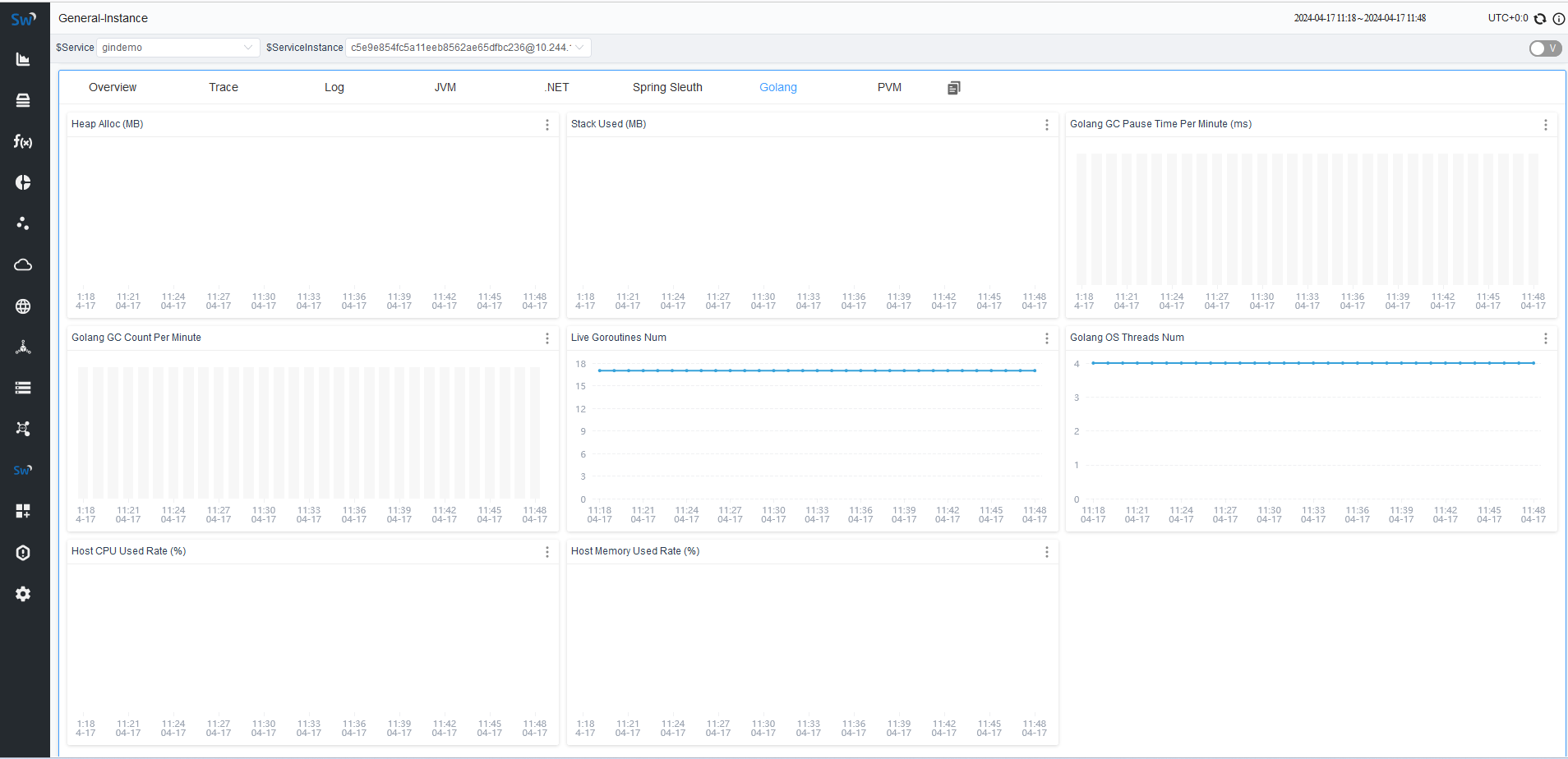
- 普通服务–>服务–> gindemo –>Instance–>示例–>Golang(Golang信息):
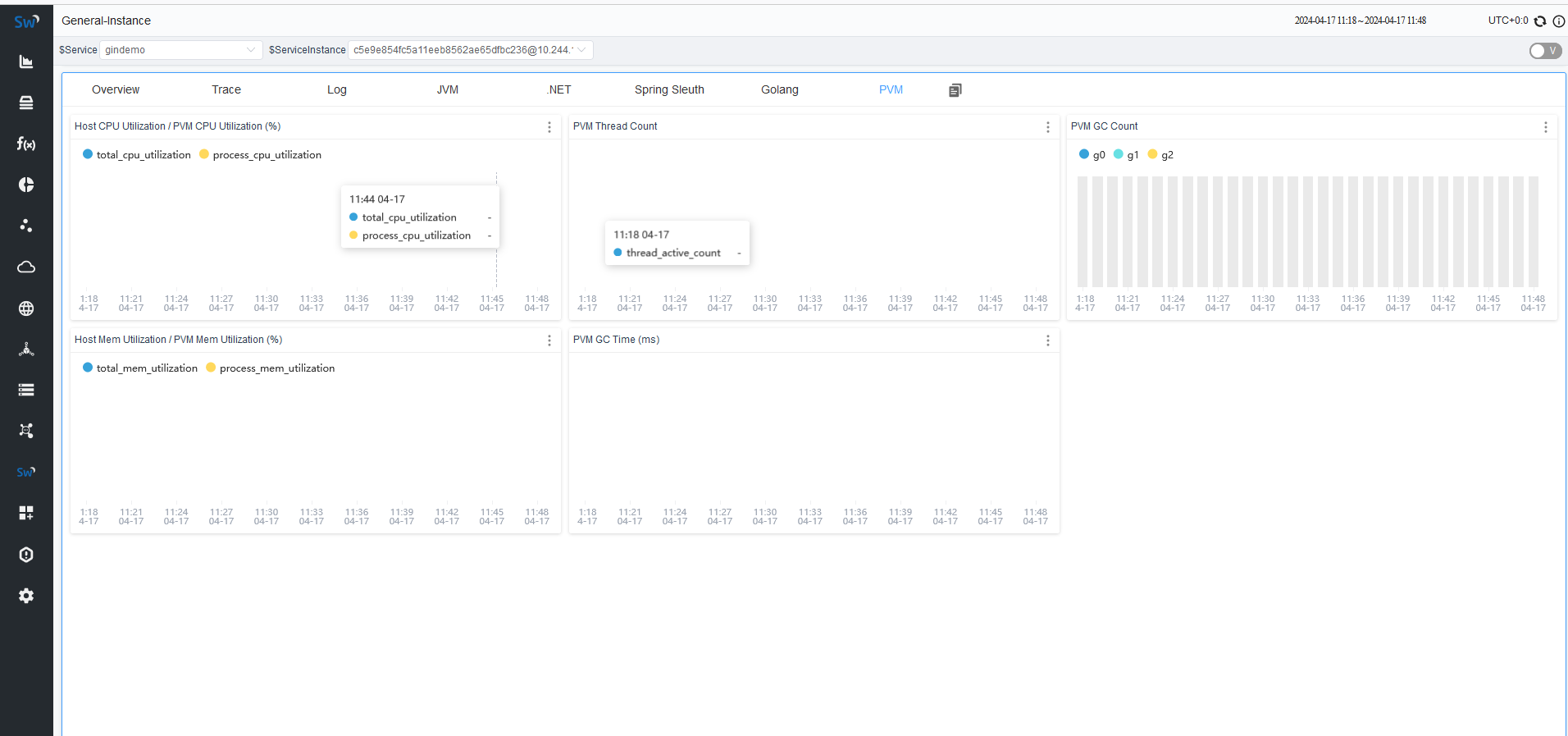
- 普通服务–>服务–> gindemo –>Instance–>示例–>PVM( Python Virtual Machine (PVM) metrics信息):
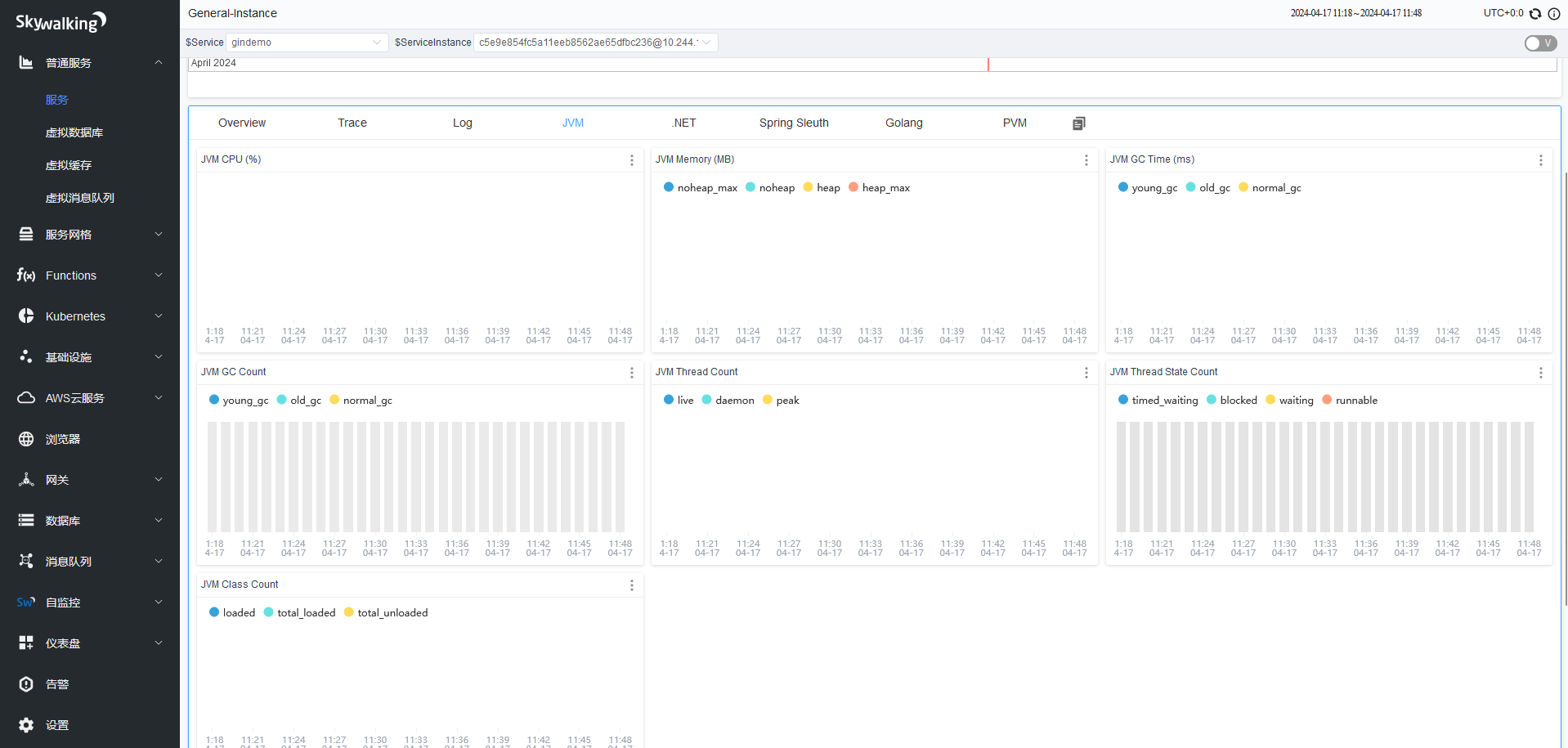
JVM CPU (%):jvm占用CPU的百分比。
JVM Memory (MB):JVM内存占用大小,单位m,包括堆内存,与堆外内存(直接内存)。
JVM GC Time (ms):JVM垃圾回收时间,包含YGC和OGC。
JVM GC Count:JVM垃圾回收次数,包含YGC和OGC
JVM Thread Count:JVM线程计数统计
JVM Thread State Count:JVM线程状态计
JVM Class Count:JVM类计数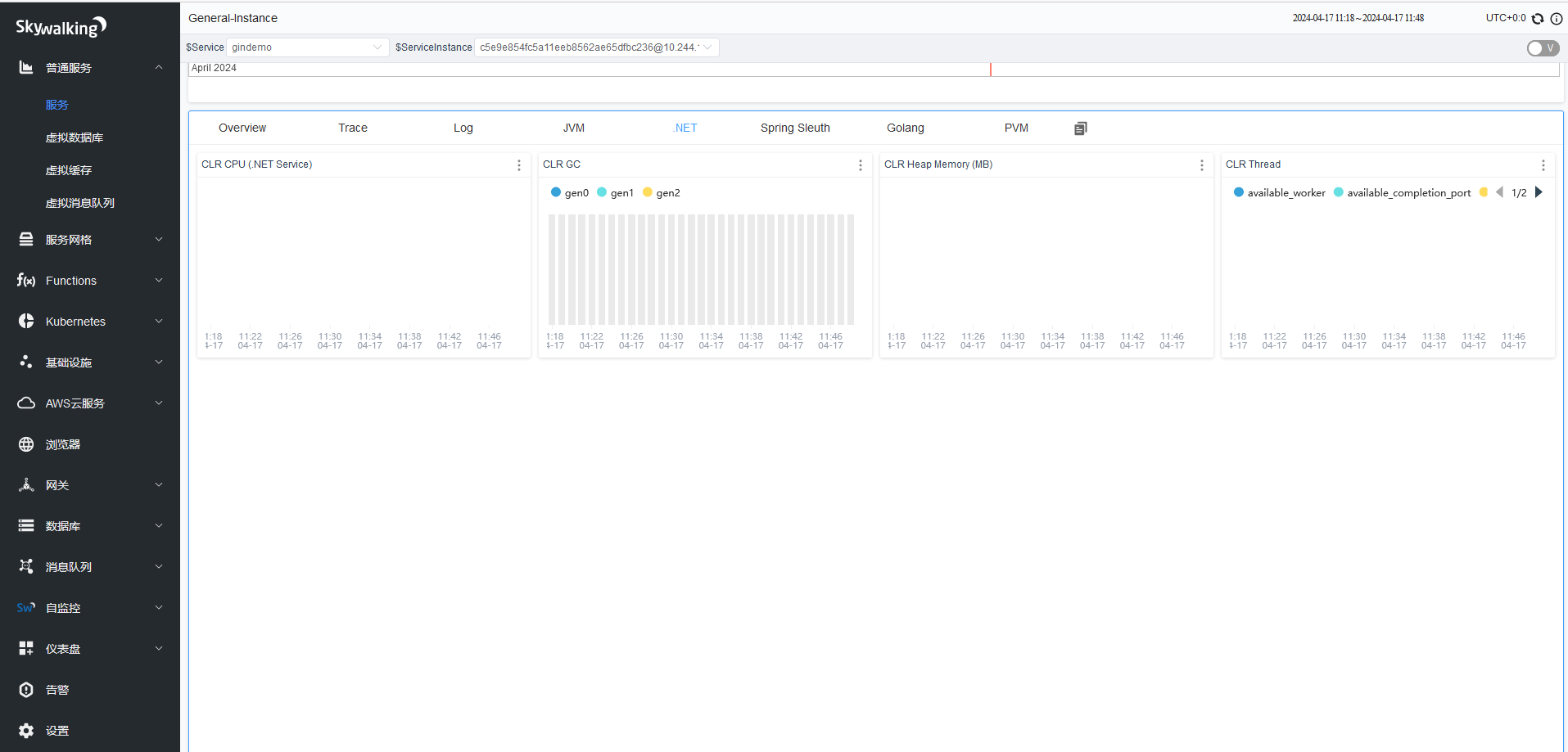
项目追踪
Java项目追踪
- jar包启动
# java -javaagent:/skywalking-agent/skywalking-agent.jar \
	DSW_AGENT_NAMESPACE=xyz \
	DSW_AGENT_NAME=abc-application \
	Dskywalking.collector.backend_service=skywalking.abc.xyz.com:11800 \
jar abc-xyz-1.0-SNAPSHOT.jar- Tomcat配置
# 部署tomcat:
# 下载并部署tomcat,
$ wget https://archive.apache.org/dist/tomcat/tomcat-8/v8.5.84/bin/apache-tomcat-8.5.84.tar.gz
$ tar xvf apache-tomcat-8.5.84.tar.gz
$ vim /apps/apache-tomcat-8.5.84/bin/catalina.sh
CATALINA_OPTS="$CATALINA_OPTS -javaagent:/data/skywalking-agent/skywalking-agent.jar"; export CATALINA_OPTS

# 配置skywalking-agent参数:
agent.service_name=${SW_AGENT_NAME:magedu}
agent.namespace=${SW_AGENT_NAMESPACE:jenkins}
collector.backend_service=${SW_AGENT_COLLECTOR_BACKEND_SERVICES:172.31.2.161:11800}

# 上传Jenkins app并启动tomcat:
$ root@skywalking-agent1:/apps# ls /apps/apache-tomcat-8.5.84/webapps/
ROOT  docs  examples  host-manager  jenkins.war  manager
$ root@skywalking-agent1:/apps# /apps/apache-tomcat-8.5.84/bin/catalina.sh  run
Python项目追踪
pip install "apache-skywalking"

# 设置环境变量
$ export SW_AGENT_NAME='python-app1'
$ export SW_AGENT_NAMESPACE='python-project'
$ export SW_AGENT_COLLECTOR_BACKEND_SERVICES='172.31.2.161:11800'

# 启动项目
$ sw-python -d run python3 manage.py runserver 172.31.4.1:80

# gun启动
sw-python run -p gunicorn your_app:app --workers 2 --worker-class uvicorn.workers.UvicornWorker --bind 0.0.0.0:8088

# uwsgi
sw-python run -p uwsgi --die-on-term --http 0.0.0.0:5000 --http-manage-expect --master --workers 3 --enable-threads --threads 3 --manage-script-name --mount /=main:app
GoLang项目追踪
# 下载代理程序
https://skywalking.apache.org/downloads/#GoAgent

# 在项目的根目录中执行命令。此命令将下载 skywalking-go 所需的依赖项
go get github.com/apache/skywalking-go

# 也可以通过命令自动导入
skywalking-go/bin/skywalking-go-agent--darwin-amd64 -inject path/to/your-project


# 将依赖包导入到main文件中
package main

import (
	_ "github.com/apache/skywalking-go"
)

# 编译文件
go build -toolexec="/path/to/go-agent" -a -o test .
.NET项目追踪
安装.NET Agent。
进入项目根目录,并执行以下命令。
# 安装.NET Agent
dotnet add package SkyAPM.Agent.AspNetCore

# 添加环境变量
export ASPNETCORE_HOSTINGSTARTUPASSEMBLIES=SkyAPM.Agent.AspNetCore
export SKYWALKING__SERVICENAME=<service-name>
配置.NET Agent属性。
生成skyapm.json文件。
- 方法1:使用skyapm命令行工具SkyAPM.DotNet.CLI生成属性配置文件。
dotnet tool install -g SkyAPM.DotNet.CLI

# 环境变量设置,/path/to需要替换成您的.dotnet路径
export PATH="$PATH:/path/to/.dotnet/tools/"
dotnet skyapm config <service-name> <endpoint>
```text
方法2:直接在项目根目录创建配置文件skyapm.json,并将以下内容复制到文件中。
{
  "SkyWalking": {
    "ServiceName": <service-name>,
    "Namespace": "",
    "HeaderVersions": [
      "sw8"
    ],
    "Sampling": {
      "SamplePer3Secs": -1,
      "Percentage": -1.0,
      "LogSqlParameterValue": false
    },
    "Logging": {
      "Level": "Information",
      "FilePath": "logs/skyapm-{Date}.log"
    },
    "Transport": {
      "Interval": 3000,
      "ProtocolVersion": "v8",
      "QueueSize": 30000,
      "BatchSize": 3000,
      "gRPC": {
        "Servers": <endpoint>,
        "Authentication": <token>,
        "Timeout": 100000,
        "ConnectTimeout": 100000,
        "ReportTimeout": 600000
      }
    }
  }
}
属性说明:
- 必填项
:服务名称。 :前提条件中获取的接入点。 :前提条件中获取的接入点鉴权令牌。
- 可选项
- SamplePer3Secs:每三秒采样数。
- Percentage:采样百分比,例如10%采样则配置为10。
- Logging:日志记录与调试。Level表示日志级别,FilePath表示日志文件保存的位置以及文件名称。
重启.NET项目。
dotnet run查看Agent本地日志记录。运行项目时,skyapm-
.log日志文件会在项目logs文件夹下生成,如果数据上报不成功,可以参考log文件进行调试和修改。
告警配置
skywalking 告警简介: https://github.com/apache/skywalking/blob/master/docs/en/setup/backend/backend-alarm.md
skywalking 告警-指标:
root@skywalking-server:~# cat /apps/skywalking/config/oal/core.oal
	service_resp_time #服务的响应时间
	service_sla #服务的http请求成功率SLA,比如99%等。
	service_cpm  #表示每分钟的吞吐量.
	service_apdex : 应用性能指数是0.8是0.x
	service_percentile: 指定最近多少数据范围内的响应时间百分比,即p99, p95, p90, p75, p50在内的数据统计结果

	endpoint_relation_cpm #端点的每分钟的吞吐量
	endpoint_relation_resp_time #端点的响应时间
	endpoint_relation_sla  #端点的http请求成功率SLA,比如99%等。
	endpoint_relation_percentile  ##端点的最近多少数据范围内的响应时间百分比,即p99、p95、p90、p75、p50在内的数据统计结果
	endpoint_mq_consume_latency #消息延迟

	service_instance_sla #实例的请求成功率SLA,比如99%等
	service_instance_resp_time #实例的响应时间
	service_instance_cpm #实例的每分钟吞吐量
rule规则简介:
- Rule name:警报消息中显示的唯一名称、必须以 结尾_rule。
- Metrics name:内置的指标名称。
- Include names:仅对自定义添加的数据源类型告警。
- Exclude names:排除对对自定义添加的数据源类型告警。
- Include names regex:通过正则匹配,如果Include names和Include names regex都设置了则都生效。
- Exclude names regex.:通过正则排除,如果Exclude names和Exclude names regex都设置了则都生效。
- Include labels:对标签匹配成功的数据源进行告警。
- Exclude labels: 排查自定义标签的数据源告警。
- Include labels regex: 通过正则匹配标签告警。
- Exclude labels regex: 通过正则排查匹配标签的告警。
- Tags:自定义标签是=附加到警报的键/值对。
- Threshold:规则触发目标值(阈值)。
- OP:操作符,支持>, >=, <, <=, ==。
- Period:以分钟为单位匹配指标是否符合告警条件。
- Count:在一个周期窗口内、如果超过阈值(基于OP匹配)的次数达到count,则触发警报。
- Silence period:下一次报警的静默期。
rules:  #定义rule规则
	 service_cpm_rule: #唯一的规则名称,必须以_rule结尾
     # Metrics value need to be long, double or int
     ##metrics-name: service_cpm  #指标名称
     ##op: ">" #操作符,>, >=, <, <=, ==
     ##threshold: 1 #指标阈值
     # The length of time to evaluate the metrics
     ##period: 2 #评估指标的时间长度
     # How many times after the metrics match the condition, will trigger alarm
     ##count: 1 #匹配成功多少次就会触发告警
     # How many times of checks, the alarm keeps silence after alarm triggered, default as same as period.
     ##silence-period: 2 #触发告警后的静默时间
     expression: sum(service_cpm > 10) >= 2 #sum(service_cpm > 1)为计算表达式(每分钟计算一次是否匹配),后面的10为阈值、表示service_cpm的值大于10(等于之前版本的op对比操作符),后面的>=2为2次及以上匹配成功,等于之前版本的count
      period: 10 #The length of time to evaluate    the metrics,评估指标的时间长度,即匹配最近10分钟内的指标数据        silence-period: 1 #后期告发送前静默1分钟
 message: '当前service {name} 分钟访问大于阈值100'
# root@skywalking-oap-698bcb77f9-qj57s:/skywalking# cat config/alarm-settings.yml
rules:
# Rule unique name, must be ended with `_rule`.
endpoint_percent_rule:
# A MQE expression and the root operation of the expression must be a Compare Operation.
expression: sum((endpoint_sla / 100) < 75) >= 3
# The length of time to evaluate the metrics
period: 10
# How many times of checks, the alarm keeps silence after alarm triggered, default as same as period.
silence-period: 10
message: Successful rate of endpoint {name} is lower than 75%
tags:
level: WARNING
service_percent_rule:
expression: sum((service_sla / 100) < 85) >= 4
# [Optional] Default, match all services in this metrics
include-names:
- service_a
- service_b
exclude-names:
- service_c
period: 10
message: Service {name} successful rate is less than 85%
service_resp_time_percentile_rule:
expression: sum(service_percentile{_='0,1,2,3,4'} > 1000) >= 3
period: 10
silence-period: 5
message: Percentile response time of service {name} alarm in 3 minutes of last 10 minutes, due to more than one condition of p50 > 1000, p75 > 1000, p90 > 1000, p95 > 1000, p99 > 1000
meter_service_status_code_rule:
expression: sum(aggregate_labels(meter_status_code{_='4xx,5xx'},sum) > 10) > 3
period: 10
count: 3
silence-period: 5
message: The request number of entity {name} 4xx and 5xx status is more than expected.
hooks:
- "slack.custom1"
- "pagerduty.custom1"
comp_rule:
expression: (avg(service_sla / 100) > 80) * (avg(service_percentile{_='0'}) > 1000) == 1
period: 10
message: Service {name} avg successful rate is less than 80% and P50 of avg response time is over 1000ms in last 10 minutes.
tags:
level: CRITICAL
hooks:
- "slack.default"
- "slack.custom1"
- "pagerduty.custom1"社区中的一些规则定义
skywalking 实现微信告警
wechat:
  default:
    is-default: true
    text-template: |-
      {
        "msgtype": "text",
        "text": {
          "content": "Apache SkyWalking Alarm: \n %s."
        }
      }
    webhooks:
    - https://qyapi.weixin.qq.com/cgi-bin/webhook/send?key=dummy_key
skywalking 实现钉钉告警
dingtalk:
  default:
    is-default: true
    text-template: |-
      {
        "msgtype": "text",
        "text": {
          "content": "Apache SkyWalking Alarm: \n %s."
        }
      }
    webhooks:
    - url: https://oapi.dingtalk.com/robot/send?access_token=dummy_token
      secret: dummysecret
skywalking 实现飞书告警
feishu:
  default:
    is-default: true
    text-template: |-
      {
        "msg_type": "text",
        "content": {
          "text": "Apache SkyWalking Alarm: \n %s."
        },
        "ats":"feishu_user_id_1,feishu_user_id_2"
      }
    webhooks:
    - url: https://open.feishu.cn/open-apis/bot/v2/hook/dummy_token
      secret: dummysecret
最后更新于